3839 Cloud Gaming Audio Settings Guide
Sound is half the atmosphere of a game and the first thing players blame when immersion breaks. In a streamed service, audio travels with the video, so most sound problems in the 3839 Cloud Gaming Android platform are really connection or headset problems wearing a disguise. This guide sorts the genuine audio settings from the impostors.
It covers the three ways people listen — phone speakers, wired headsets, and Bluetooth — because each fails differently and each has a different best fix.
The golden rule of audio troubleshooting is to change one variable at a time and re-test with the same game scene. Sound faults feel mysterious precisely because several links can produce the same symptom; the sections below isolate them in order, from the stream itself outwards to the tiny speaker in your ear.
Start With the Output You Actually Use
Phone speakers are the baseline: no delay, modest quality, and no isolation. They are fine for casual sessions and for diagnosing problems, because any fault you hear on speakers is in the stream or the game, not in your accessories. Use them as the reference when troubleshooting.
Wired headsets add quality with no new delay, which makes them the safest upgrade. Bluetooth adds freedom and a processing delay that varies by headset and codec; for story games it is irrelevant, and for rhythm games it can be the whole problem.
Bluetooth Delay, Honestly Explained
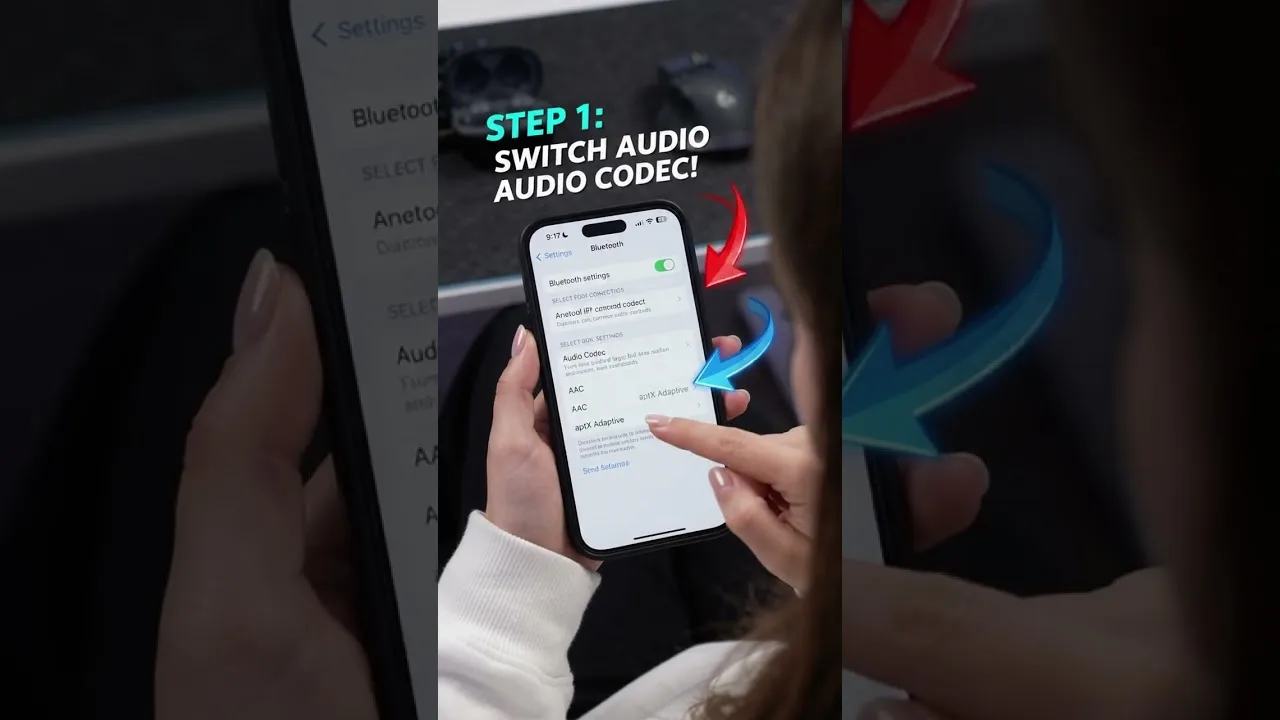
Bluetooth audio is encoded, sent, and decoded, and that pipeline costs tens to hundreds of milliseconds depending on the codec your phone and headset negotiate. Modern low-latency codecs shrink the cost a lot, but the phone chooses the codec, and it does not always choose the fastest one available.
If voices lag behind lips or shots sound late, test with speakers or a wired headset for one session. If the problem vanishes, it was the radio link, and the cure is a low-latency headset or a wire on the days it matters. The same chain logic appears in how to reduce input delay in 3839 Cloud Gaming, where audio delay is the audible twin of input delay.
Balance, Voice Chat, and Volume
Keep game volume and voice chat volume as separate mental channels. Most headsets and Android's own volume controls treat media and call audio differently, and a chat that seems too quiet is often sitting on the call channel while the game shouts on the media channel.
For voice chat clarity, a headset microphone near your mouth beats the phone's microphone across the room every time, which matters most in the big-screen arrangement described in how to play 3839 Cloud Gaming on TV. Test your mic in a quiet room first; echo complaints usually trace to speakers leaking into an open microphone.
Fix Crackling, Dropouts, and Silence
Crackling or dropouts that rise and fall with on-screen action are stream bandwidth symptoms, not speaker damage. Step the stream quality down once and listen again. Silence at launch is more often a routing hiccup: toggle Bluetooth off and on, or unplug and reconnect the headset, so Android re-selects the output.
If one game is silent while others are fine, check that game's own audio settings before touching the system. Per-game mutes and music sliders survive between sessions and are forgotten exactly as often as they are set.
When Audio and Video Disagree
A stream sends audio and video together, so persistent mismatch between them almost always appears after the phone: a TV processing picture slowly, a Bluetooth headset processing sound slowly, or both at once. Fix the slowest link and the pair re-aligns.
Change one thing at a time and re-test with the same scene. Dialogue close-ups are the best test material because your brain notices lip-sync errors of a fraction of a second that it would forgive in music or effects.
Music, Effects, and Dialogue Balance
Inside games, the three-channel mix matters more than total volume. Dialogue sits in the centre of most mixes and is the first casualty of phone speakers at low volume; raising dialogue relative to music and effects is a standard accessibility setting in modern titles and worth using on small speakers.
If you play at night, look for a night or dynamic-range setting where offered. It compresses the gap between whispers and explosions, which keeps both audible without waking the house.
Audio for Shared Spaces
Headsets solve the shared-room problem in both directions: the game stays private and the room stays quiet. For households where the television is contested territory, a good headset on the phone can be a better purchase than any claim on the big screen, because it makes every room a gaming room.
Mind volume itself. Long sessions at high volume tire ears and damage them slowly, and streamed audio's compressed peaks can mask how loud the average level has crept. If you must shout over your own game to be heard when the headset comes off, it was too loud.
Good audio setup is mostly about knowing which link in the chain is complaining. Speakers for diagnosis, wires for certainty, and low-latency Bluetooth for freedom cover nearly every situation a cloud player meets.
Once your audio chain is set, resist re-tuning it per game. A stable, familiar setup lets you hear the game instead of the equipment, which is the entire point.
Related articles
- How to Update 3839 Cloud Gaming to the Latest Version Learn how to update 3839 Cloud Gaming to the latest version on Android, check your current build, and fix the update problems users hit most often. Read article
- 3839 Cloud Gaming Lag and Latency Fixes That Actually Help Practical fixes for lag and latency in 3839 Cloud Gaming: connection checks, router settings, in-app options, and habits that keep streams responsive. Read article
- Best Internet Settings for 3839 Cloud Gaming Set up your home internet for 3839 Cloud Gaming: recommended speeds, Wi-Fi band and channel choices, router QoS, DNS, and wired options explained plainly. Read article